
golf swing video analysis
How to Record and Analyze Your Golf Swing for Better Practice
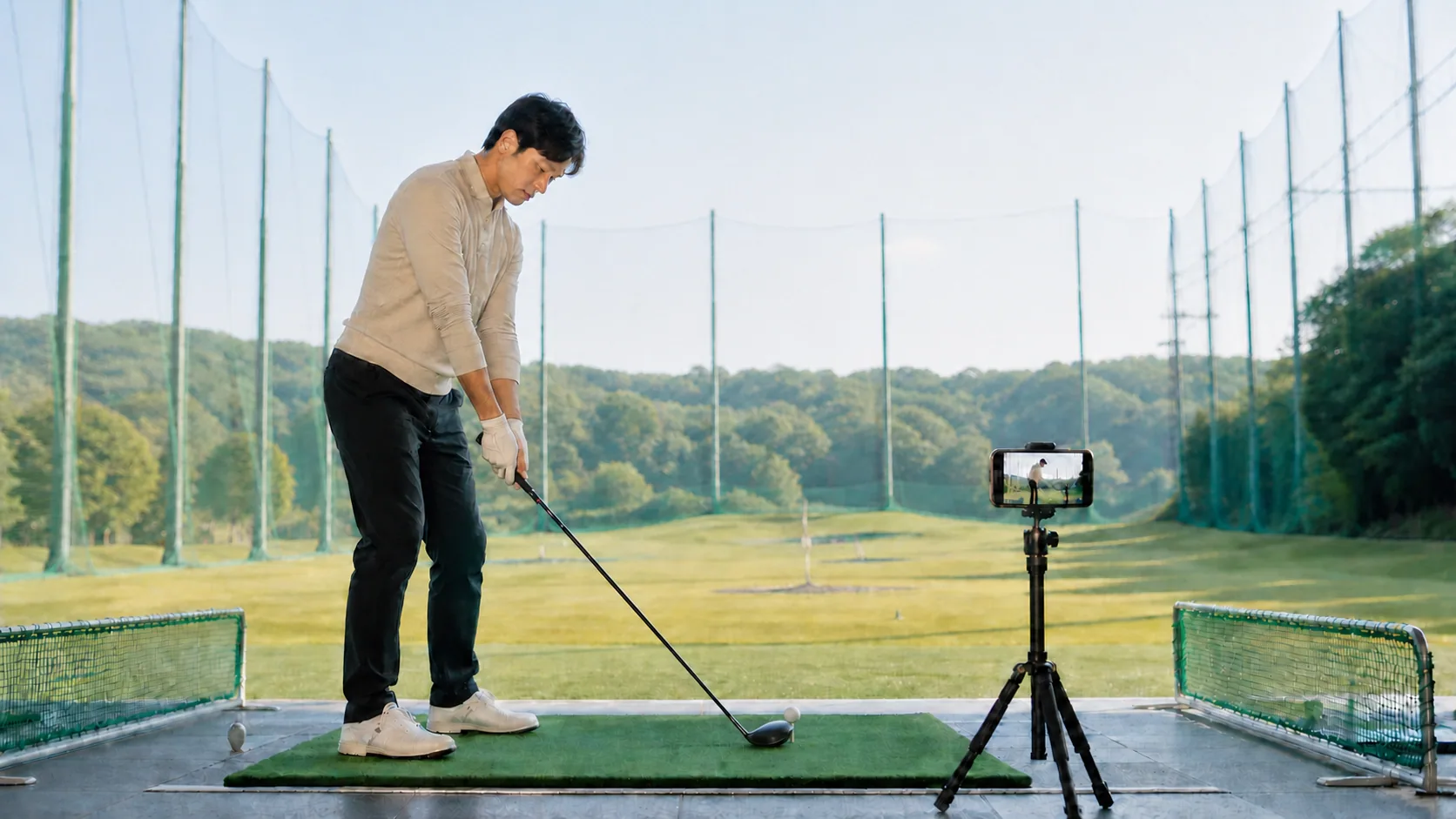
You can accurately evaluate your technique by recording your swing from behind the target line and directly from the front with the camera positioned at waist height. Proper placement helps you objectively identify flaws in your setup and swing path, bridging the gap between your feel and reality. To improve effectively, maintain consistent recording conditions and track your progress over time. The web-based golf72 coach allows you to upload swing videos for analysis and store them as part of your practice routine during its current beta phase.
Direct answer
You can accurately evaluate your technique by recording your swing from behind the target line and directly from the front with the camera positioned at waist height. Proper placement helps you objectively identify flaws in your setup and swing path, bridging the gap between your feel and reality. To improve effectively, maintain consistent recording conditions and track your progress over time. The web-based golf72 coach allows you to upload swing videos for analysis and store them as part of your practice routine during its current beta phase.
Where should you place your camera for the best swing view?
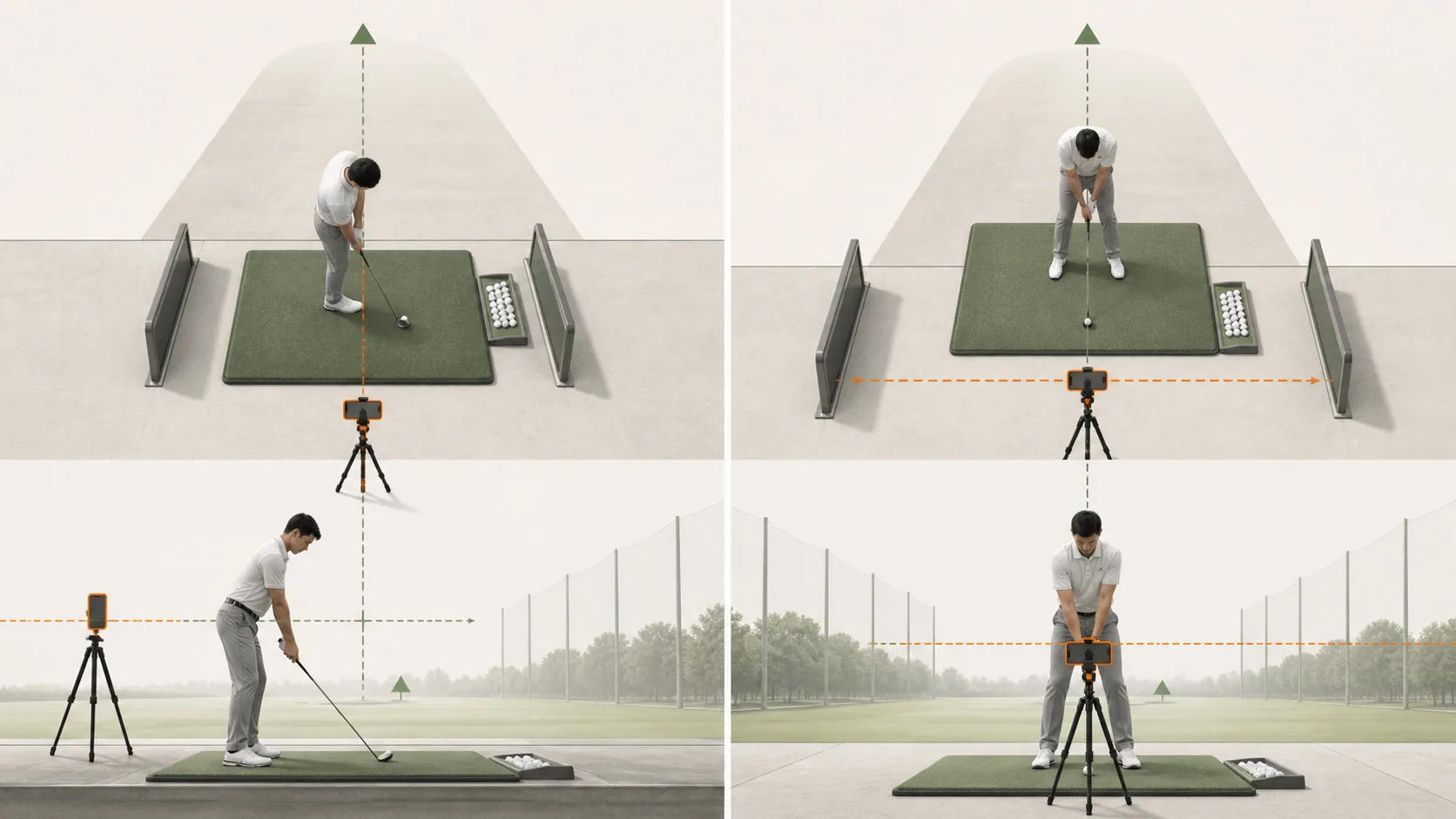
The most accurate way to check your mechanics is to position your camera at two specific locations: directly behind the target line and directly in front of the golfer. Filming from behind provides the best view of your swing path and alignment, while the front view is ideal for observing ball position and weight distribution.
Always fix your camera at waist height using a tripod or a stable surface rather than placing it on the ground. Incorrect camera height creates perspective distortion, making it difficult to judge your true swing plane and posture.
- Align the camera on the extended line of your target for behind-the-view shots
- Set up the camera perpendicular to the target, aligned with the center of your stance for front-view shots
- Ensure the camera height matches your belt line to prevent distorted angles
- Use your golf bag or a chair as an improvised tripod if you do not have one
What settings should you use when recording with a smartphone?
High frame rates are recommended to capture your fast-moving swing with clarity. By setting your camera to 60fps or higher instead of the standard 30fps, you can play back impact, clubface orientation, and ball contact frames with much greater detail.
Be mindful of your surroundings to ensure privacy and safety during your session. Additionally, lock your exposure and focus on your body to prevent the image from flickering or becoming blurred during the swing.
- Select 60fps in your camera settings to improve motion clarity
- Maintain a distance of 3 to 5 meters to ensure your entire swing is captured in the frame
- Lock the exposure settings to keep the image brightness consistent
- Choose a position that avoids backlighting to ensure your silhouette is clearly visible
What should you analyze after recording your swing?
Begin by focusing on three key moments: your setup, the top of the backswing, and impact. Rather than trying to change everything at once, use the visual evidence to prioritize one specific improvement at a time.
If you experience any pain or discomfort while reviewing your motion, stop practicing immediately and prioritize rest. Use drawing tools to track how your head position and shaft plane evolve throughout the swing.
- Verify that your shoulder and foot lines are parallel to the target at address
- Check if the shaft is parallel to the ground at the top of your backswing
- Monitor for excessive lateral head movement during the downswing
- Record from the same angle during each session to compare your progress
Frequently asked questions
How reliable are the values generated by video analysis?
These values are estimates derived from 2D footage and may differ from measurements provided by professional launch monitors. Use them primarily as a guide to observe trends and changes in your form over time.
Do you have tips for filming when practicing alone?
Use a timer function or a dedicated smartphone mount to record yourself steadily without assistance. If you place a tripod inside the hitting bay, ensure it is positioned so it does not interfere with other golfers.
Features related to this guide
See an analysis example
Related guides
This guide was prepared and reviewed by golf72 編集部 before publication. It is not a substitute for medical advice or measurements from dedicated equipment.